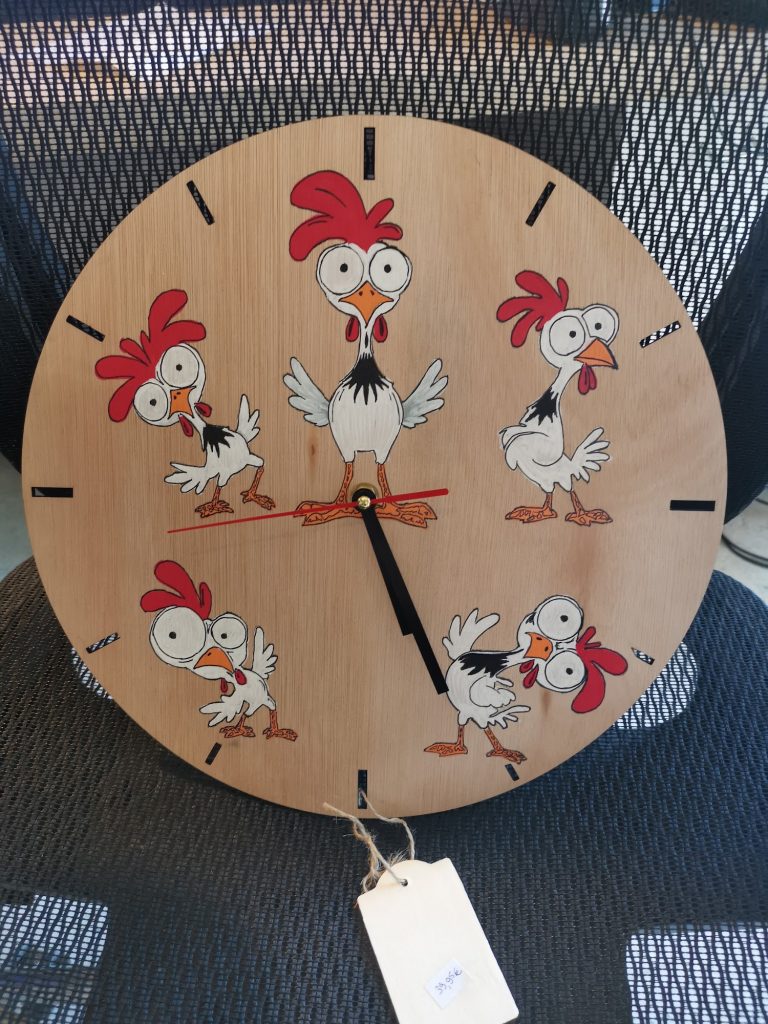
Of all my laser engraving projects, this chicken clock may be the one that made me laugh the most while I was making it. Five adorably silly chickens sit around the clock face, each with those characteristically large, bulging eyes. Below, I take you through the entire process: from the design in LightBurn and laser engraving to hand colouring, varnishing and finishing the clock.
Step 1: creating the design in LightBurn
Everything starts at the computer in LightBurn. I arranged five chicken illustrations around a circle, rotating each one slightly so the composition feels lively rather than looking like the same chicken repeated five times. I also drew the hour markers as small rectangles that would be cut all the way through the wood and left a hole in the centre for the shaft of the clock mechanism.
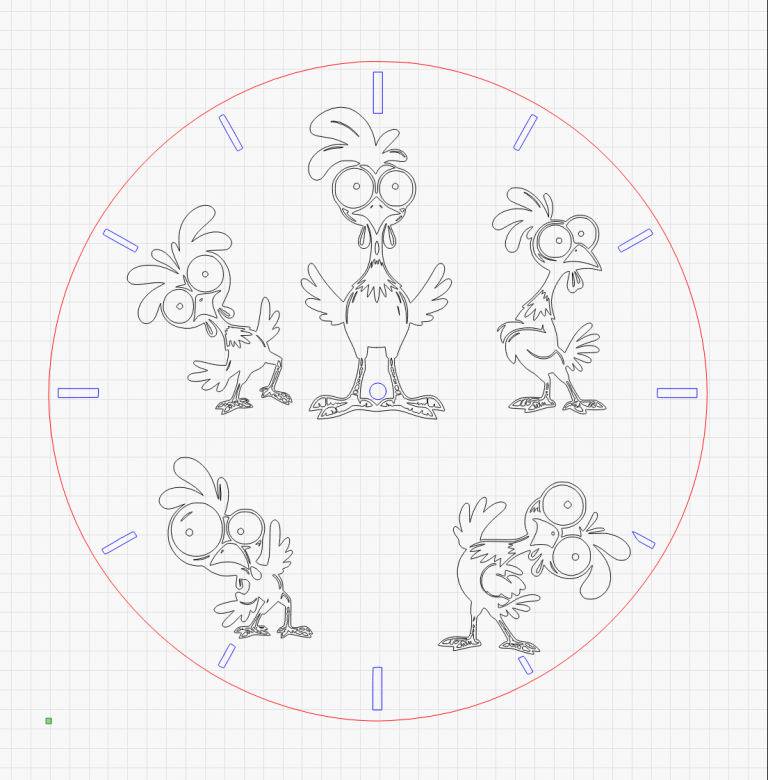
In LightBurn, I assign a different operation to each layer: the outer circle and hour markers are cut all the way through the wood, while only the outlines of the chickens are engraved. This keeps the clock face in one piece while making every chicken clearly visible as soon as it comes out of the machine.
Step 2: laser engraving
Using my Sculpfun laser—the same machine I use for my personalised gifts—I engrave the chicken outlines into a round sheet of plywood. In a second pass, the laser cuts out the outer edge and the hour markers. The result is a clock face on which the chickens are already easy to recognise, but which is still completely bare and wood-coloured. The real work is yet to begin.
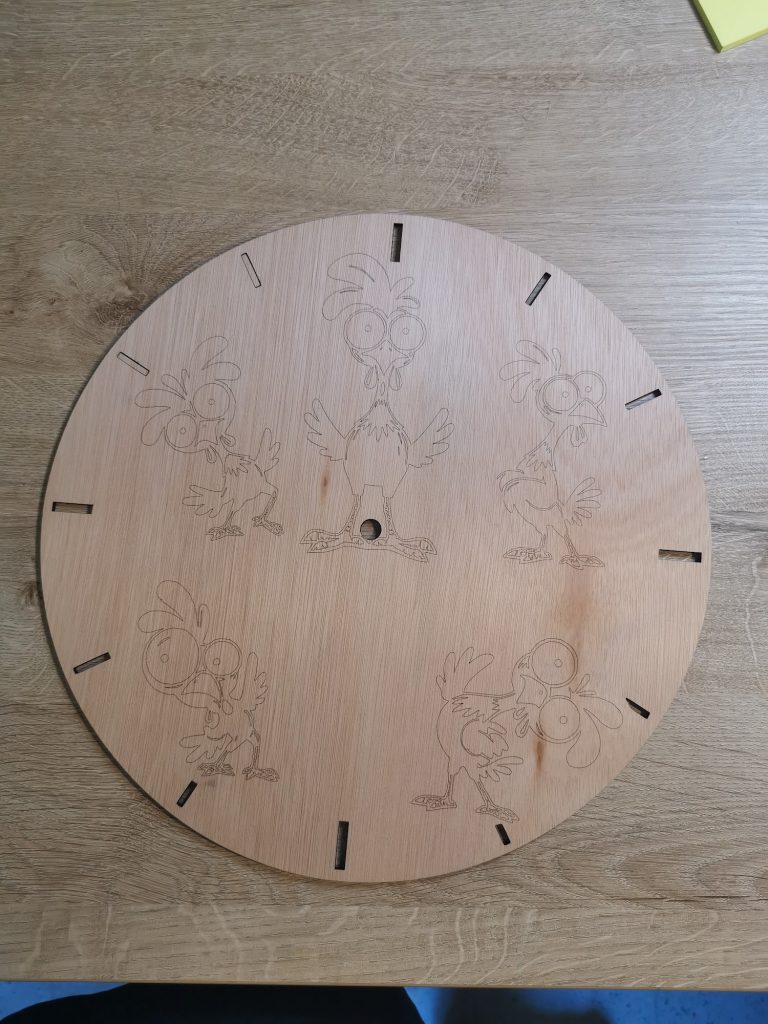
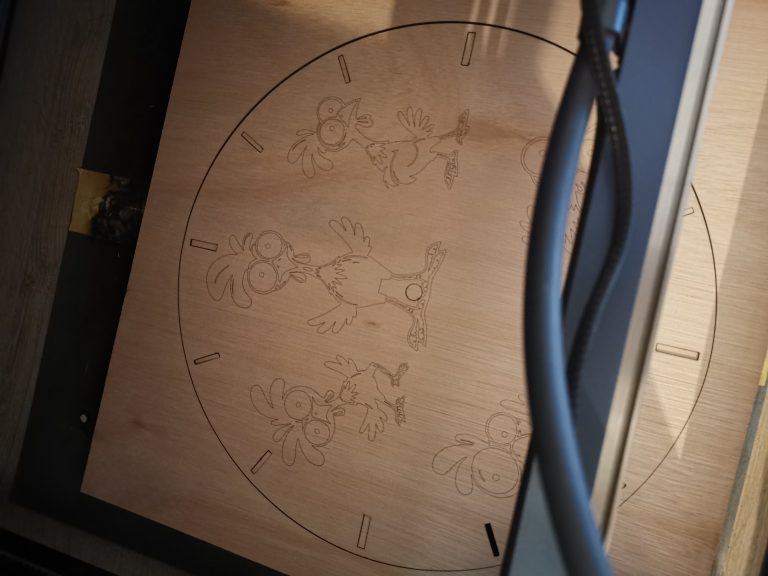
On the left is the complete clock face immediately after laser engraving; on the right is a close-up of the engraving itself. You can see how crisp the outlines are. That is exactly what makes the colouring so easy later: every line is already in place, so all I have to do is stay inside it.
Step 3: colouring with acrylic paint pens
For the colouring, I use acrylic paint pens in different widths: fine pens for the black details and broader paint pens for the larger areas. I use red for the combs, orange for the beaks and feet, and white and shades of grey for the feathers. After painting, I finish the clock with varnish to protect the wood and colours.
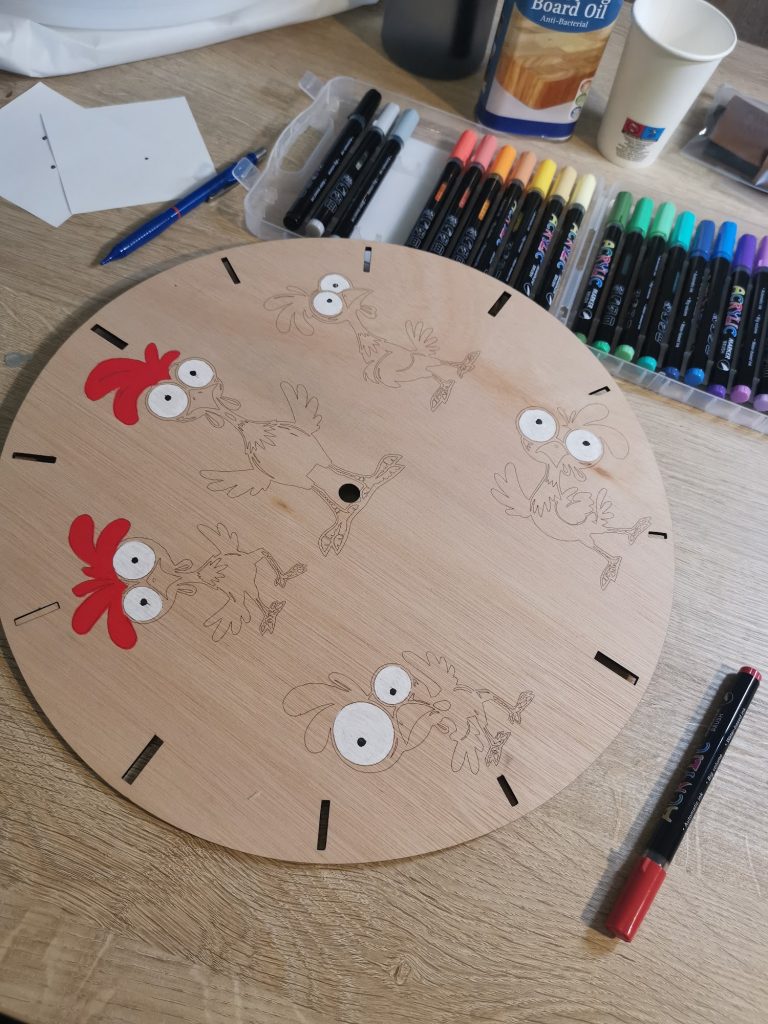
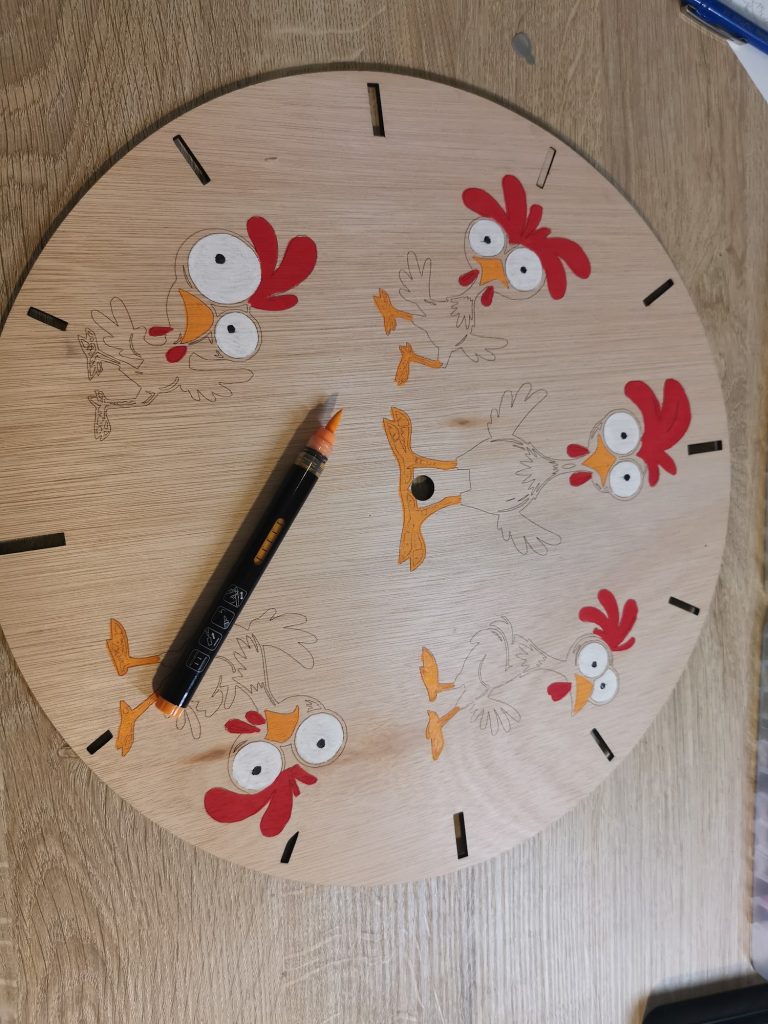
I colour all the chickens one colour at a time. First I paint every comb red, then all the beaks and feet orange, followed by the feathers in white and shades of grey. Only when one colour has been added to every chicken do I move on to the next. This means I do not have to keep changing pens, and I can build up the clock calmly, one layer at a time. Acrylic paint pens also make it easy to paint over a mistake once the first layer has dried.
Step 4: retracing the outlines for a crisp finish
After colouring, I retrace all the outlines with a black permanent marker. The laser engraving already creates a light brown line, but it becomes less visible once paint is added alongside it. A crisp black outline gives the final piece the cartoon-like effect that suits this design so well.
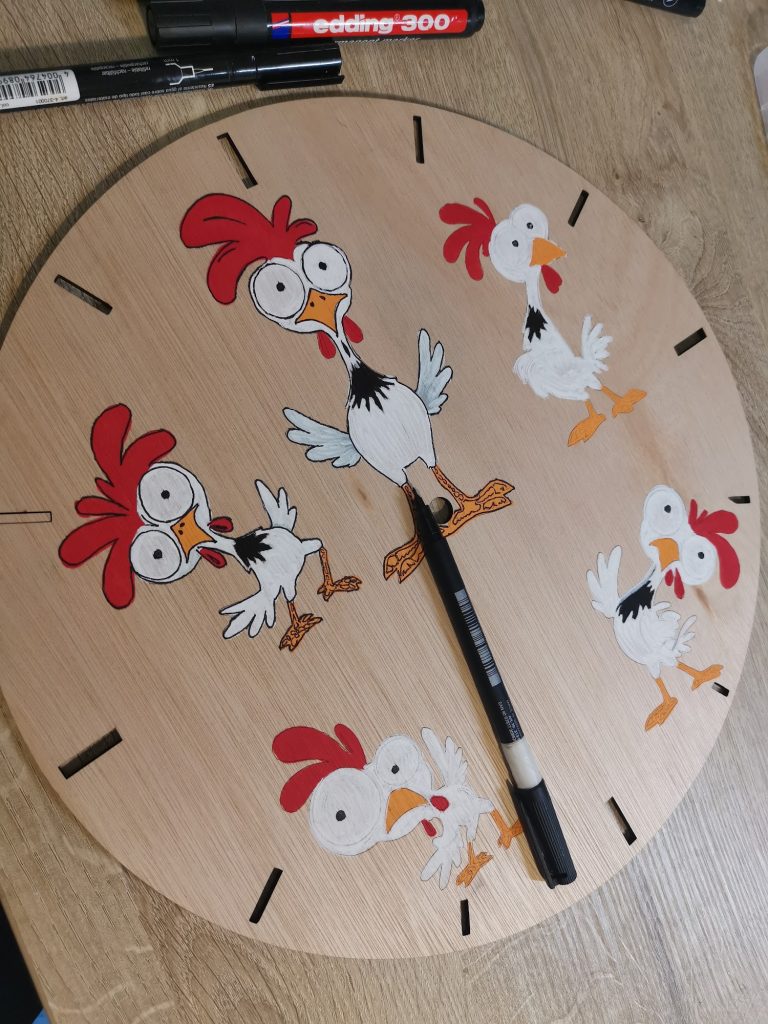
Step 5: varnishing the clock
After painting and retracing the outlines, I first let everything dry thoroughly. Then I varnish the clock. The varnish creates a protective finish over the wood, colours and black lines, helping to protect the painted clock face from dust, marks and light wear. I also allow the varnish to dry completely before fitting the clock mechanism.
Step 6: fitting the clock mechanism
Once all five chickens are completely coloured, outlined and varnished, it is time for the part that turns it into a real clock: a standard clock mechanism with hands, inserted through the centre hole in the clock face. That is exactly why I included the hole in the laser-cut design in step 1. It fits perfectly, with no extra drilling required.
The finished clock
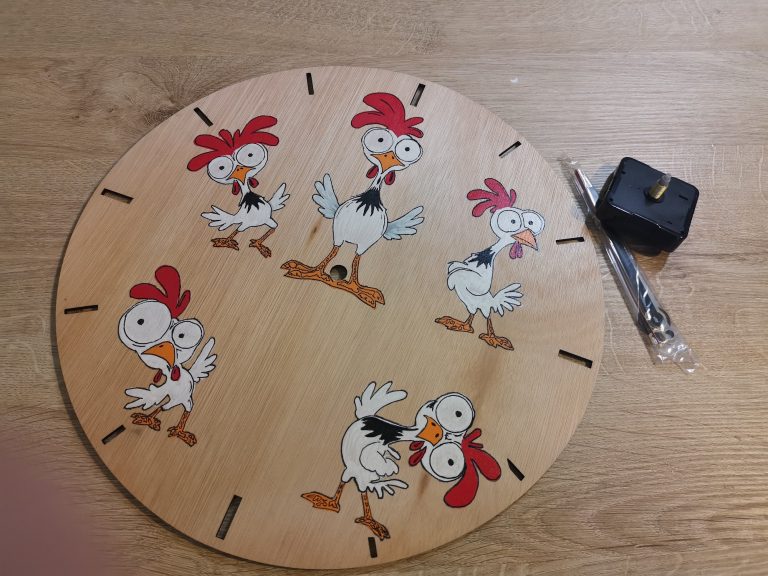
And finally, here it is: the finished chicken clock, with the hands fitted and ready to hang on a wall. This particular one came with me to a sales stall, which explains the price tag still dangling from one of the hands in the photo. Every time I see it, those surprised chicken eyes still make me smile.
You may also like
- Sculpfun S30 Pro Max 20W review: what to expect (incl. 10W vs 20W)
- Personalised laser engraved gifts part 2: bracelets, pendants, bamboo and more
- Quick personalised laser engraved gifts: photo engraving on stainless steel coasters
A question about this project?
Een vraag over dit project of jouw resultaat delen? Neem contact op.
Send Creadeliefje a message